
How virtual reality can explain complex industrial products
virtual reality makes it possible to explain complex industrial products by making the invisible visible: entering the equipment, seeing how it works inside, following a process step by step, comparing versions and highlighting competitive advantages. The customer does not only hear the explanation: they experience it, and they understand it faster.
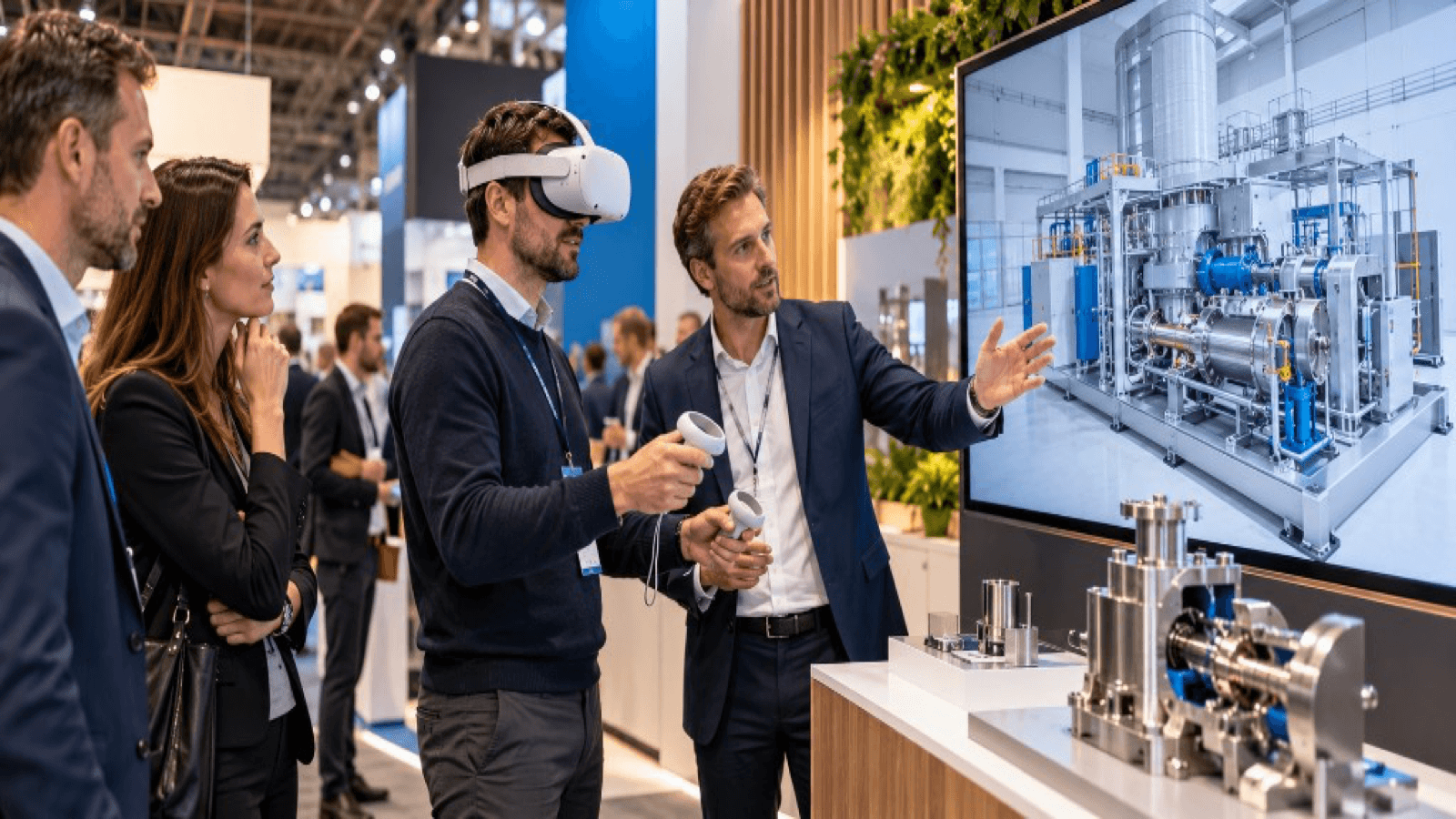
Why industrial products are hard to explain
- Their internal workings cannot be seen.
- The processes are long or happen in conditions that are hard to show (high temperatures, pressure, rapid movement).
- There are many variants and options.
- The technical buyer wants detail, and the decision-maker wants a simple overview.
- Presentations and brochures do not convey scale or how something works.
What VR can do
1. Show the interior
Cutaway views, transparencies or an "exploded" view of components that cannot be seen on the real equipment.
2. Follow the process
A guided sequence: the raw material enters, passes through each stage, the finished product comes out, with visual cues.
3. Make the invisible visible
Air flows, temperature, pressure, forces or energy represented with colour and animation.
4. Scale
Miniaturise a tiny component so it can be seen huge, or reduce an entire plant to see the whole.
5. Compare
Show your solution against the traditional method, before and after, or two variants side by side.
6. Simulate situations
Incidents, maintenance, start-ups or extreme conditions without risk.
7. Personalise
Adapt the demonstration to the customer's case: their plant, their flow, their product.
How to structure the narrative
- Context: the customer's problem.
- Entry into the solution: overview of the equipment.
- Three key moments: the points that most differentiate your product.
- Result: benefits (savings, quality, safety, sustainability).
- Close: next step.
Less is more: tell three things well rather than ten done halfway.
Different profiles, different messages
| Profile | What they need to see |
|---|---|
| Technical / engineer | Detail, specifications, integration |
| Operator / maintenance | Access, use, safety |
| Procurement | Cost, maintenance, life cycle |
| Management | Result, savings, risk |
The same scene can have levels of explanation to suit the profile.
Production tips
- Start from faithful CAD, but simplify anything that does not contribute.
- Use clear animations, and not too many.
- Add labels or cues that explain without overwhelming.
- Include voice or short text.
- Keep session times short.
- Plan a screen version for people who do not use a headset.
Beyond the trade show
The same content serves for:
- Remote sales.
- Training of operators and technicians.
- Support and maintenance.
- Presentations to investors.
Key ideas
- VR makes visible what normally cannot be seen.
- A clear narrative is more important than the technical display.
- Adapt the level of detail to the visitor's profile.
- Start from CAD, but optimise for real time.
- The content can be reused in sales, training and support.
Frequently asked questions
Does the product need to exist already?
No. A prototype or a product in development can be shown.
Can confidential information be shown?
Yes, with control: you can prepare versions without sensitive details for trade shows.
Is VR or 3D on screen better?
VR gives more immersion and scale; 3D on screen is more accessible. Many projects use both.
Who should take part in the design?
A technical product expert, sales and marketing.
More guides on this topic
10 interactive ideas for trade shows that go beyond the gift
Ten interactive ideas to stand out at a trade show: virtual reality, games, configurators, AR, factory tours, challenges and experiences that capture qualified leads.
Technology checklist for trade shows: what you need before the event
Technology checklist for your trade show stand: hardware, power, connectivity, content, plan B, staff, safety, logistics and prior testing.
How to attract more visitors to your stand at a trade show
Strategies to attract visitors to your stand before, during and after a trade show: design, interactive experiences, digital preview, sales team and follow-up.