
Technology checklist for trade shows: what you need before the event
before a trade show, check six blocks: hardware (screens, headsets, tablets and spares), power and cabling, connectivity (with an offline alternative), content installed and tested, trained staff, and logistics for transport, set-up and safety. What is not tested at the venue fails at the trade show.
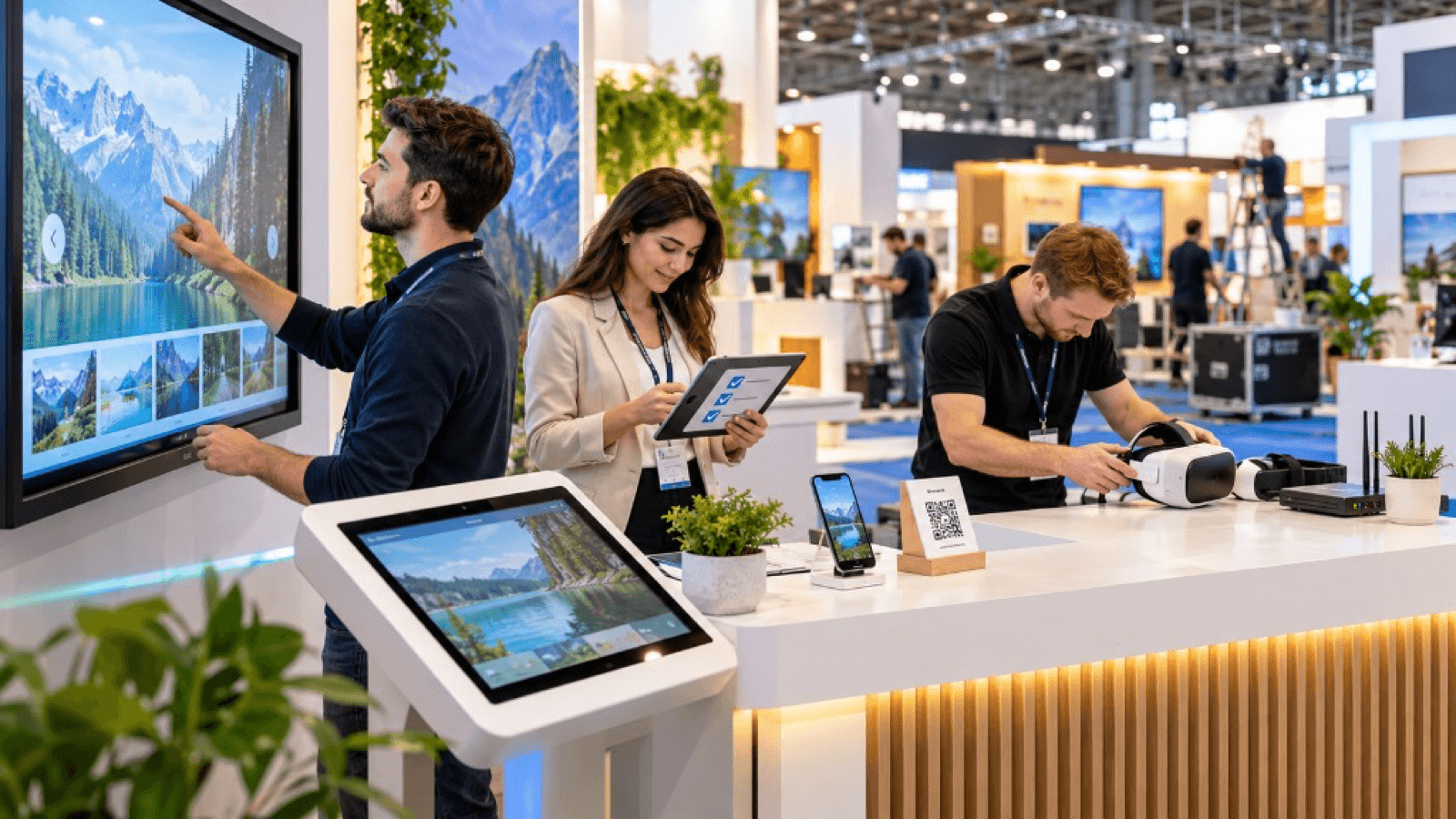
1. Hardware
- [ ] Screens, projectors or touch panels required.
- [ ] VR headsets with charged batteries, cases and spares.
- [ ] Demonstration tablets or mobiles.
- [ ] Computer(s) with adequate capacity and a backup machine.
- [ ] Mounts, tripods, anchors and fittings.
- [ ] Speakers or headphones, if there is sound.
- [ ] Lead capture equipment (tablet, accreditation reader).
2. Power and cabling
- [ ] Sufficient contracted power at the stand.
- [ ] Protected power strips and extension leads.
- [ ] Spare chargers and power banks.
- [ ] Cable organisers and trunking (visitor safety).
- [ ] Labelling of all cables and adapters.
- [ ] HDMI, USB-C and similar adapters.
3. Connectivity
- [ ] Experiences installed locally (they do not depend on the internet).
- [ ] Own connection (4G/5G router) as an alternative.
- [ ] If using the venue Wi-Fi, a dedicated line contract and tests.
- [ ] Accounts and passwords checked before travelling.
- [ ] Content synchronisation and updates done before the trade show.
4. Content and software
- [ ] Final experiences installed and tested on the definitive hardware.
- [ ] Backup version (video or simplified mode).
- [ ] Languages reviewed.
- [ ] Automatic restart mode after inactivity.
- [ ] Data capture working (forms, QR, CRM).
- [ ] Content backups on an external drive and in the cloud.
5. Staff
- [ ] People responsible for each station with a script.
- [ ] Prior training on how to use the technology.
- [ ] Technical contact person during the trade show.
- [ ] Shifts and breaks planned.
- [ ] Hygiene and incident protocol (see Safe VR at events).
6. Logistics
- [ ] Protected packaging for delicate equipment.
- [ ] Inventory with photographs and serial numbers.
- [ ] Insured transport with generous lead times.
- [ ] Set-up and dismantling times confirmed with the organiser.
- [ ] Technical team accreditations.
- [ ] Equipment insurance.
7. Safety and regulations
- [ ] VR area marked out.
- [ ] Compliance with venue rules (height, weight, noise, light).
- [ ] Privacy notice visible where data is collected.
- [ ] Consent for commercial communications.
- [ ] Insurance and licence documentation.
8. Testing
- [ ] Full test one or two weeks beforehand in the office.
- [ ] Test at the venue during set-up.
- [ ] Simulation of use with several visitors in a row.
- [ ] Plan B test.
9. Emergency kit
- Duct tape and cable ties.
- Extra power strips and extension leads.
- Spare cables and adapters.
- Spare headsets, controllers and batteries.
- Wipes, covers and gel.
- Screwdrivers and basic tools.
- List of telephone numbers for the team and the supplier.
Key ideas
- What is not tested at the venue can fail.
- Experiences must work without the internet.
- Have spares for everything critical.
- Trained staff are part of the technology.
- Always prepare a plan B.
Frequently asked questions
When should I start preparing the technology?
At least two or three months beforehand if there is new content; longer if it is complex.
Is the trade show Wi-Fi reliable?
It usually gets congested. Better not to rely on it for anything essential.
Who from the technical team should be present?
Ideally one responsible person at the stand throughout the trade show.
What happens if something fails?
With a plan B (video or a simplified version) you keep the activity going while it is repaired.
More guides on this topic
10 interactive ideas for trade shows that go beyond the gift
Ten interactive ideas to stand out at a trade show: virtual reality, games, configurators, AR, factory tours, challenges and experiences that capture qualified leads.
How to attract more visitors to your stand at a trade show
Strategies to attract visitors to your stand before, during and after a trade show: design, interactive experiences, digital preview, sales team and follow-up.
How to create an interactive product demonstration for a trade show
How to create an interactive product demonstration for a trade show: objective, format, script, interactions, hardware, data capture and prior testing.