WebAR vs app-based AR: which should you use?
WebAR and app-based augmented reality both place digital content over the real world, but they do not solve the same problem. WebAR opens in the browser from a QR code or a link, with no download, and prioritises reach. An app requires installation and prioritises depth: advanced features, repeat use and offline work.
What is WebAR?
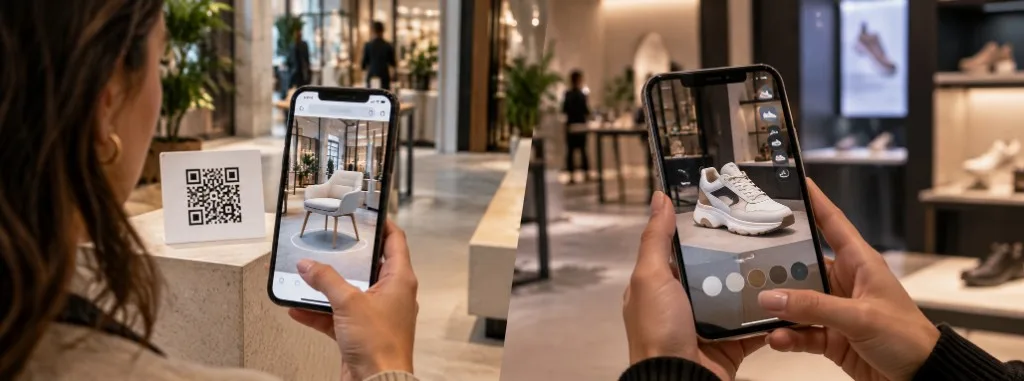
WebAR is augmented reality that runs directly in the phone browser. Someone scans a QR code, taps a link or opens a web page and starts straight away, with no app to download, no app store and no account to create.
That immediate access is its main advantage. In a store campaign, an event or on product packaging, the user scans a QR code, allows camera access and, within seconds, is interacting with 3D models, animations or other digital layers.
That is why WebAR works especially well for marketing campaigns, retail, eCommerce, packaging, events and anything aimed at a wide audience. At Visualife we use this kind of augmented reality experience so people can interact with the content on their own phone, without extra barriers.
What is app-based AR?
App-based AR lives inside an application the user has to download and install. Getting in takes more steps, but the app can integrate more deeply with the device, save progress, work partly offline and sit inside a wider brand experience.
Apps can make fuller use of native technologies such as ARKit on iOS or ARCore on Android, with advanced features, higher graphical performance and more complete access to the phone's hardware. An app can also store content locally.
That is why it usually makes sense when people will use the tool again and again.
The real difference: friction
With WebAR, someone can go from an advert, a QR code or a web page to the experience almost immediately. With an app, they first have to:
- Open the app store.
- Download the app.
- Install it.
- Open it.
- Find the experience.
Every extra step adds friction. In an app someone already uses every week, that may not matter much. In an advertising campaign, on packaging or at an event, asking for a download just to try an experience that lasts a few minutes can cut participation sharply.
WebAR versus app-based AR
| WebAR | App-based AR | |
|---|---|---|
| Access | Browser | Installed application |
| Download | No | Yes |
| QR access | Excellent | Possible, but the app is required |
| Ease of sharing | Very high | Lower |
| Performance | High enough for most campaigns | Higher potential |
| Advanced features | More limited | Broader |
| Offline use | Limited | Yes |
| Updates | Immediate from the server | Usually through the app |
| One-off use | Excellent | Less suitable |
| Repeat use | Good | Excellent |
WebAR prioritises reach. An app prioritises depth.
When should you choose WebAR?
WebAR is usually the better choice when you want as many people as possible to take part with as little effort as possible. It fits campaigns, packaging, events, retail, eCommerce and games opened from a link or a QR code.
- Marketing campaigns: a QR code on an advert, poster or shop window can launch the experience immediately.
- Packaging: the product itself can become the way into a digital experience.
- Events and trade fairs: visitors can scan different points around the space without installing anything.
- Retail: you can place virtual products, or run games, promotions and interactive experiences, inside a store.
- eCommerce: a customer can view a product in their own space before buying it.
- Gamification: treasure hunts, challenges, collectibles and games can be shared with a link or a QR code (see more).
Visualife uses this model for mobile-first experiences and activations where removing the download helps more visitors take part.
When does an app make more sense?
An app makes more sense when the experience is not a one-off campaign but a tool people will use repeatedly. Installation stops being a barrier once the app already earns its place on the phone.
- Training: a company can use an AR app so employees complete different modules over several months.
- Sales tools: a sales team can carry a catalogue of 3D products that stays available even without a connection.
- Industrial applications: some experiences need advanced tracking, environment recognition, device sensors or more complex interactions.
- Loyalty programmes: if customers already use the brand's app, adding AR inside that same app can make a lot of sense.
What if you need both?
You do not always have to choose. A strategy can use WebAR to bring people in, then an app to offer a fuller experience to those who need extra features.
At a trade fair, for example, WebAR can let any visitor scan a product and see a 3D demonstration instantly. At the same time, the sales team can use an app with the full catalogue, downloaded content and advanced tools.
The same AR strategy then fits different kinds of user.
So which should you choose?
If you want to launch a campaign, raise engagement, show products, activate a store or let thousands of people enter from a QR code, start with WebAR. If you are building a complex, repeat-use tool with advanced features, or one that must work offline, an app can be the better solution.
Do I need people to get in quickly, or do I need them to come back?
The technology should follow the goal, not the other way round. At Visualife we work in that order: first we look at the goal, the audience and the context, then we choose the immersive technology that fits the project.
Key takeaways
- WebAR opens in the browser, with no download, and prioritises reach.
- An app requires installation and prioritises depth, repeat use and offline work.
- In campaigns, packaging, events and retail, every extra download step reduces participation.
- WebAR and an app can work together: the web attracts, the app goes deeper.
- The technology should follow the goal, the audience and the context.
Frequently asked questions
Do you need an app to use augmented reality?
No. With WebAR the experience opens in the browser from a QR code or a link, with no app store and no account. An app makes sense when people will return, or when you need features the browser does not yet offer reliably.
When is WebAR a better choice than an app?
When you want as many people as possible to take part with as little effort as possible: campaigns, packaging, events, retail, eCommerce and one-off games. WebAR prioritises reach.
When is it worth building an AR app?
When the experience is a tool people use repeatedly, needs advanced features such as ARKit or ARCore, or must work offline. It fits training, sales catalogues, industry and loyalty programmes that already live in a brand app.
Can WebAR and an app be used in the same project?
Yes. WebAR can bring any visitor in with an instant demonstration, and an app can then offer the full catalogue, downloaded content and advanced tools to the people who need them.